Key features in v1.4.0
Workflow Monitoring & Visualization
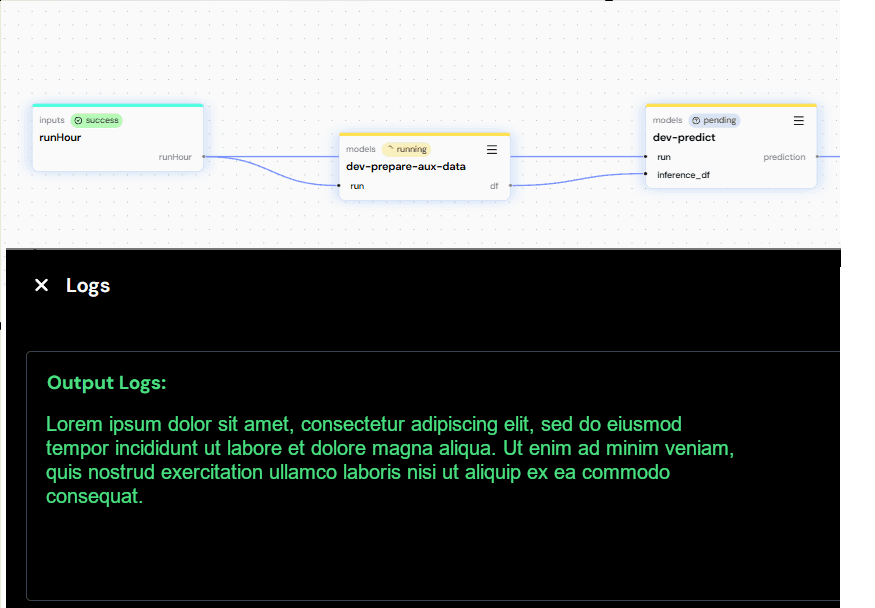
- The CLI and UI now allow users to monitor workflow progress and view logs for each step.
- The workflow view has been redesigned to improve clarity of input/output relationships and to better distinguish node types (input, model, resource, dependency).
DeltaTwin Component & Resource Management
- The topic and description of a published DeltaTwin component can now be edited directly via the UI (previously CLI-only).
- The same applies to Drive data (artifacts or resources): topic and description are now editable via the UI.
Run Management Enhancements
- A new “My Runs” page in the UI lists all user runs and scheduled runs (previously available only via CLI).
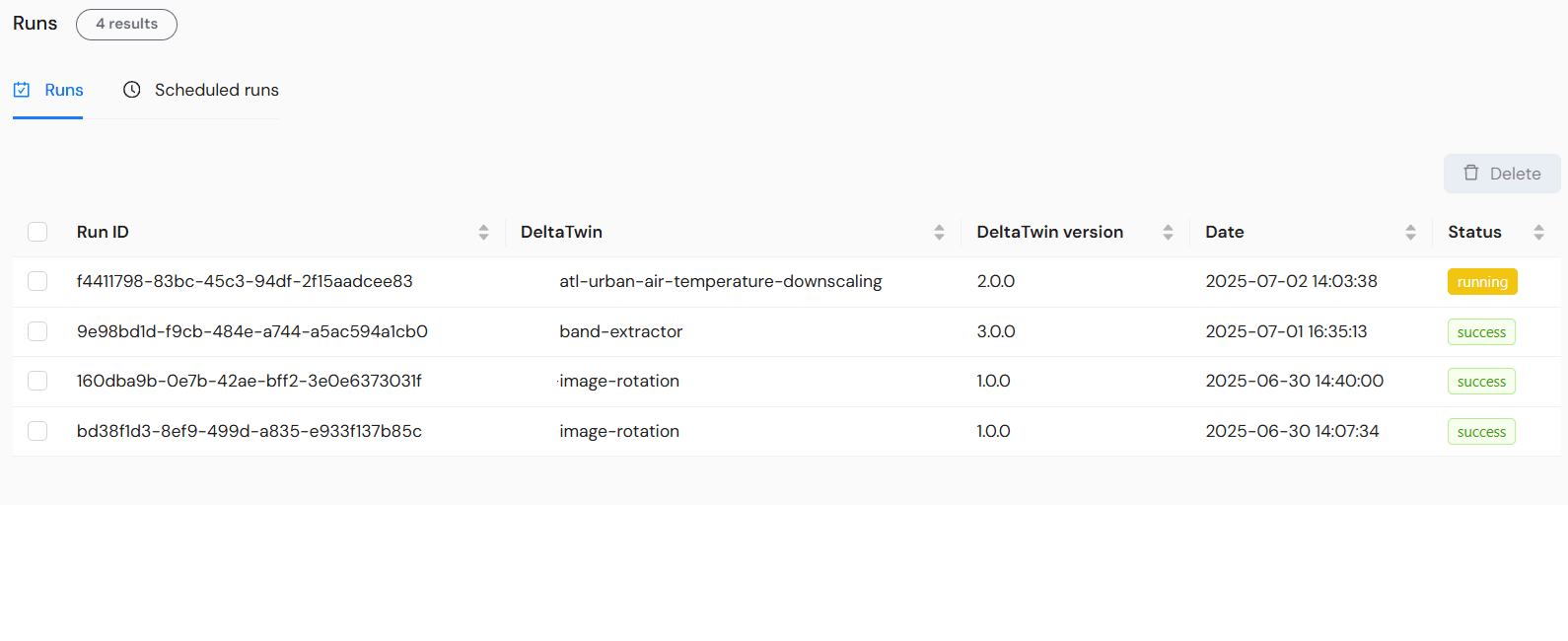
- An overview page now displays the 5 most recent runs.
- The run creation flow has been simplified by merging the two previous forms into one.
- For inputs of type URL, users can now choose between:
- a standard URL (no authentication)
- a SesamEO® URL (requires authentication)
- a file from their DeltaTwin Drive
- Minor fix: inputs are now consistently displayed in the same order.
Topics Management
- The topic
starter-kitis now reserved for admin users only, for official DeltaTwin Starter Kit components.
New CDS Connector (Starter Kit)
- A new CDS connector allows sending a request (in JSON format) to the CDS API and retrieving the resulting data file.
- A new input type is now supported in manifest files:
jsoninput.
Storage Quota Management
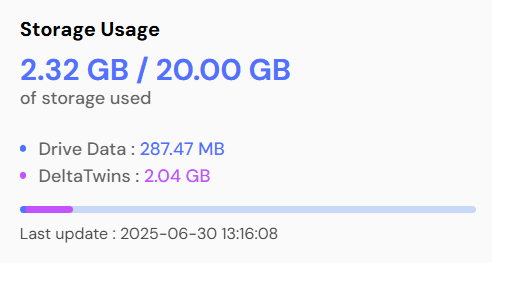
- The total size of a user’s DeltaTwin components is now counted toward their user storage quota.
Drive Data
- Drive data in the UI now uses a pagination mechanism for better navigation.
- Drive Data can be selected as input of a run.