Use a product from SesamEO®
Until now, only publicly accessible product URLs could be used as input to DeltaTwin® component. Now, SesamEO® product URLs are supported with authentication, by specifying your SesamEO® API key and configuring your SesamEO® providers.
Before using a SesamEO® product URL as input in DeltaTwin®, you must configure your SesamEO® providers in the SesamEO® platform. If providers are not configured, your DeltaTwin® run will fail immediately when trying to download the input.
➡️ Please follow the official SesamEO® documentation to configure providers: https://platform.destine.eu/docs/sesameo/doc/index.html#providers
Once your providers are correctly configured, you can proceed with generating your API key and using SesamEO® product URLs with DeltaTwin®.
Get your SesamEO® API Key
First, generate your API key in SesamEO® by opening the user menu (top-right corner) and selecting My SesamEO account . This API Key allows third-party applications, like DeltaTwin® to securely connect to SesamEO® services on your behalf.
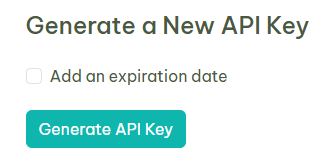
Don’t forget to save your API key as you will not be able to retrieve it after leaving this page. You will have to regenerate one otherwise. Then, choose your desired product on SesamEO® and click the “Copy Download Link” button.
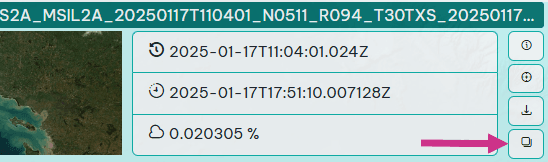
From the UI
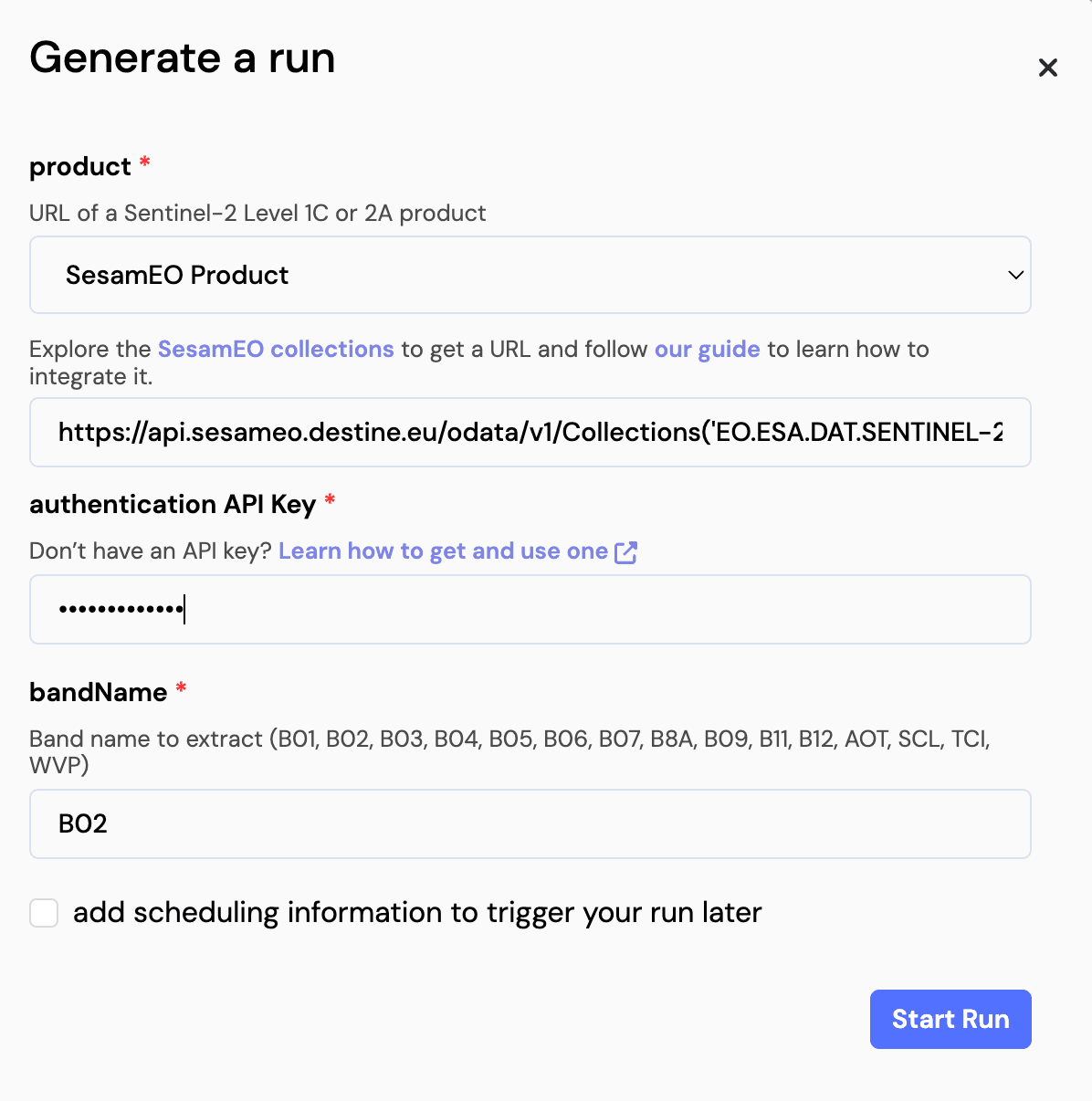
Select a DeltaTwin® component that requires a URL type as input
Select “SesamEO® API key”
And add your SesamEO® product URL in the URL field.
Paste your secret SesamEO® API key
In “Authentication API Key” field, paste your SesamEO® API key previously generated.
From the CLI
Run deltatwin component get <deltatwin_name> -f json
To get the informations of your DeltaTwin® component, use the following command : deltatwin component get <deltatwin_name> -f json.
E.g. for the “band-extractor” component : deltatwin component get band-extractor -f json.
Find the inputs section
...
"inputs": [
        {
            "name": "product",
            "type": "Data",
            "default_value": null,
            "description": "URL of a Sentinel-2 Level 1C or 2A product"
        },
        {
            "name": "bandName",
            "type": "string",
            "default_value": null,
            "description": "Band name to extract (B01, B02, B03, B04, B05, B06, B07, B8A, B09, B11, B12, AOT, SCL, TCI, WVP)"
        }
    ],
...
Create a JSON file containing your desired input values
To run a DeltaTwin® with inputs that require an API Key, you must create a file that will contain your desired inputs values with the following json format :
{
  "product": {
      "type": "Data",
      "url": "https://api.sesameo.destine.eu/odata/v1/Collections('EO.ESA.DAT.SENTINEL-2.MSI.L2A')/Products('CDSE:91e28786-0c30-4ccd-879d-e7eb4d42b75c')/$value",
      "auth": {
          "type": "SesamEO",
          "api_key": "Your_SesamEO_API_KEY"
      }
  },
  "bandName": {
      "type": "string",
      "value": "B01"
  }
}
Run deltatwin run start band-extractor -i inputs.json
A message looking like this should be displayed :
Id:c94fba23-f43f-4492-92de-d823cb6896f4
Author:3d8e5fb9-776e-45c9-8649-b042122502e4
Creation Date:Jan 23, 2025, 11:45:36 AM
Status:pending
Inputs:
     Input name | Type   | Value/Basename
    ------------+--------+---------------------------------------------------------------------------------------------------
     product    | Data   | https://api.sesameo.destine.eu/odata/v1/Collections('EO.ESA.DAT.SENTINEL-2.MSI.L2A')/Products('CD…
     bandName   | string | B01
Outputs:
     Output name | Type | Value/Basename
    -------------+------+----------------
You can check the status of your run using the command :deltatwin run get <run_id>
Troubleshooting SesamEO® Inputs
Why does my DeltaTwin® run fail when using a SesamEO® product URL?
This usually happens if:
-
SesamEO® providers are not configured : Without provider configuration, SesamEO® cannot authorize product downloads. Follow the provider setup guide: https://platform.destine.eu/docs/sesameo/doc/index.html#providers
-
The SesamEO® API key is missing or invalid : Make sure you pasted the API Key in the “Authentication API Key” field (UI) or in the “auth” block (CLI JSON).
-
The product URL is incorrect or truncated : It must be the full SesamEO® OData $value download link.
-
Your key was not saved and expired : API keys cannot be retrieved after creation — regenerate one if needed.
How do I check if the run was blocked because of download issues?
From the CLI
Use:
deltatwin run get <run_id>Then inspect the output to see more information about the failure.
From the UI
Open the run, then inspect the node details inside the workflow. The logs will show information about each node’s execution, including attempts to download the SesamEO® product.